Customer system of record
Contacts, tax IDs, phone details, notes and document history stay attached to the same customer.
Customers, quotations, invoices, tax documents, receipts, statements, approvals, balances and follow-up priorities stay connected in one persistent workspace — with AI as the interface, not the database.
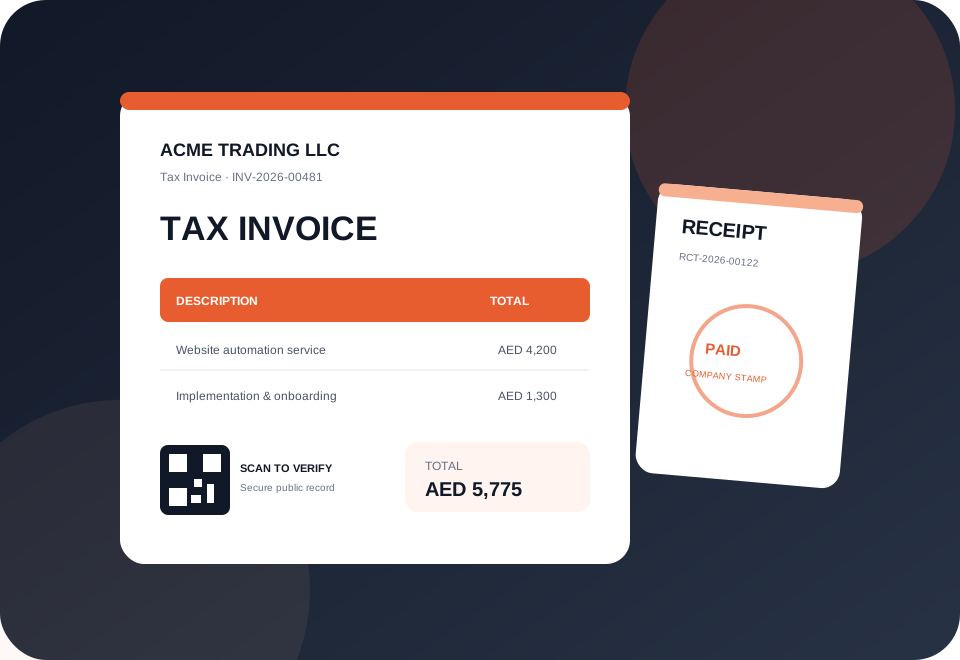
One system of record for the documents customers actually see
TypingEverything separates workspace document currency from platform subscription billing. Choose a default currency for your company, override it per document, and keep receivables separated by currency so unlike balances are never falsely added together.
Stripe settlement remains AED through our UAE merchant account. The public display currency is only for easier local comparison and does not restrict the currency you use with your customers.
Upload your logo once, select a document style, add optional footer and payment instructions, and use an optional company stamp. Every PDF can carry a QR verification link tied to its TypingEverything record.
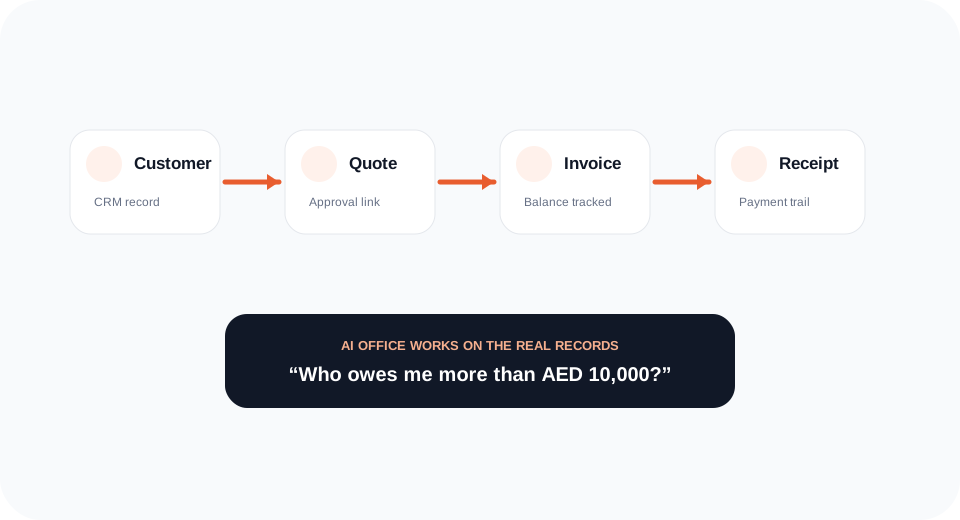
A quotation can become an invoice. An invoice can receive payments and generate a receipt. Statements reflect the customer ledger. Approval links update the source record. The workflow remains connected instead of becoming a folder of unrelated PDFs.
TypingEverything turns invoice balances and due dates into an aging view and follow-up queue. See overdue value, invoices due soon, expiring quotations and the customers requiring attention.
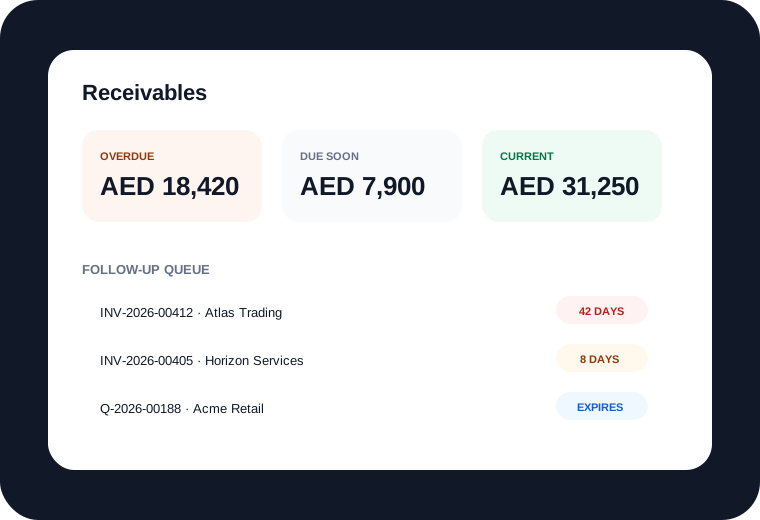
The durable value is the operational state around the document.
Contacts, tax IDs, phone details, notes and document history stay attached to the same customer.
Move approved commercial intent into billing without retyping line items.
Record payments against invoices, update balances and generate a connected receipt.
Generate a branded statement from current invoice records and outstanding balances.
Ask questions against real business data such as who owes you money or which quotes are pending.
Save recurring services and products with price, currency and tax defaults, then add them to new documents instead of retyping.
The preview extracts a practical printable palette. Your paid workspace then keeps the operational records behind those documents.
TypingEverything extracts a printable palette and applies it across invoices, quotations, receipts and statements.
AI Office operates on your customer and document records. It can answer operational questions without inventing transactions that do not exist.
TypingEverything calculates your receivables, document activity and quotation pipeline first. The AI layer then explains risks, highlights priorities and produces a business brief without inventing financial numbers.
 AI Business BriefLIVE RECORDS
They represent most of the current overdue balance. Two quotations also expire this week.
TypingEverything focuses on the customer-office workflow around quotations, invoices, receipts, statements, balances and follow-up. It is not positioned as a replacement for every general-ledger or statutory accounting system.
Yes. Subscription display/settlement is separate from your workspace document currency. Your company can use USD, ZAR, EUR, AED or another supported document currency, and receivables stay separated by currency.
Yes. Upload a PNG, JPG or WebP stamp in Brand & Documents. You can set it as the default or choose stamped/stampless per document.
It opens a secure public document view tied to the document's TypingEverything token, allowing the recipient to verify the source record and current status.
Yes. TypingEverything preserves the customer and line items while creating a linked invoice with its own invoice number.
Yes. Payments can be recorded against invoices, the balance updates, and a connected receipt can be generated.
Messaging delivery is platform-managed. Subscriber workspaces focus on customers, documents and follow-up actions without exposing underlying provider credentials or setup screens.
Then let every quote, invoice, receipt, statement and follow-up use the same records.